You have a logo, sketch, or photo that looks fine on screen, but the moment you enlarge it for a banner, T-shirt, or sign, it turns blurry and pixelated. The printer asks for a “vector file”, and you only have a JPG or PNG.
This is where image to vector conversion comes in. It converts a pixel image into clean, scalable art that remains sharp at any size. In this guide, we explain what vector conversion means, how the process works step by step, which images can be converted, and how to get the best results for print, embroidery, signage, and digital use.
What Does Image to Vector Conversion Mean?
Image to vector conversion is the process of converting a raster image to a vector graphic.
- Raster images (JPG, PNG, GIF, BMP) consist of many dots and have a definite resolution, which means that zooming them in makes their edges turn jagged and blurred.
- Vector images (AI, EPS, SVG, PDF) consist of several mathematical lines, shapes, and images. It can easily be increased in size, from a business card to a billboard, without losing the quality of the image.
In layman’s terms, vectorising means that one takes a raster image and recreates it in a clean shape instead of a pixel image. As a result, the file produced can be edited and printed right away by embroiders and printers.
How to Convert an Image to Vector
Whether you do it yourself or work with a professional, the steps to convert image to vector artwork follow the same basic process.
Upload the Original Image
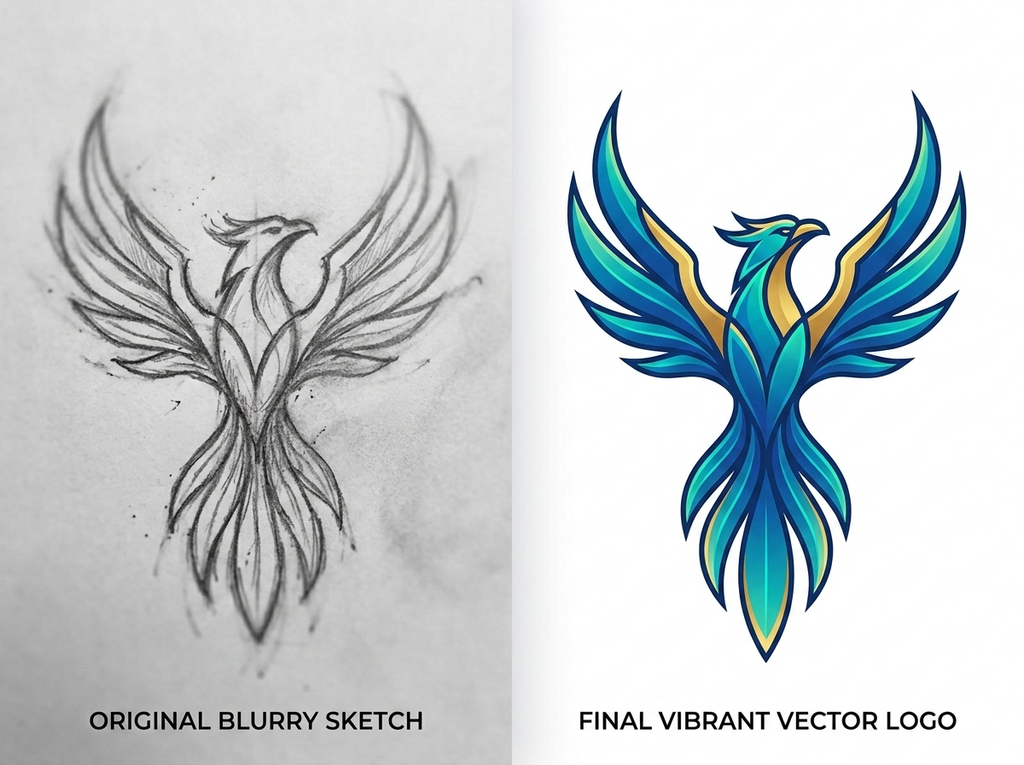
Use an image file that has the best possible quality. A larger, clearer file gives the artist more detail to work from. Even a blurry or low-resolution image can be vectorised, but the original is always the starting reference.
Analyse the Image
Observe the picture keenly and point out its colours, shapes, words, and even fine, vivid details. Decide on the output style, such as full colour, flat colour, line art, or single colour, based on where the artwork will be used.
Trace or Redraw the Artwork Using Vector Paths
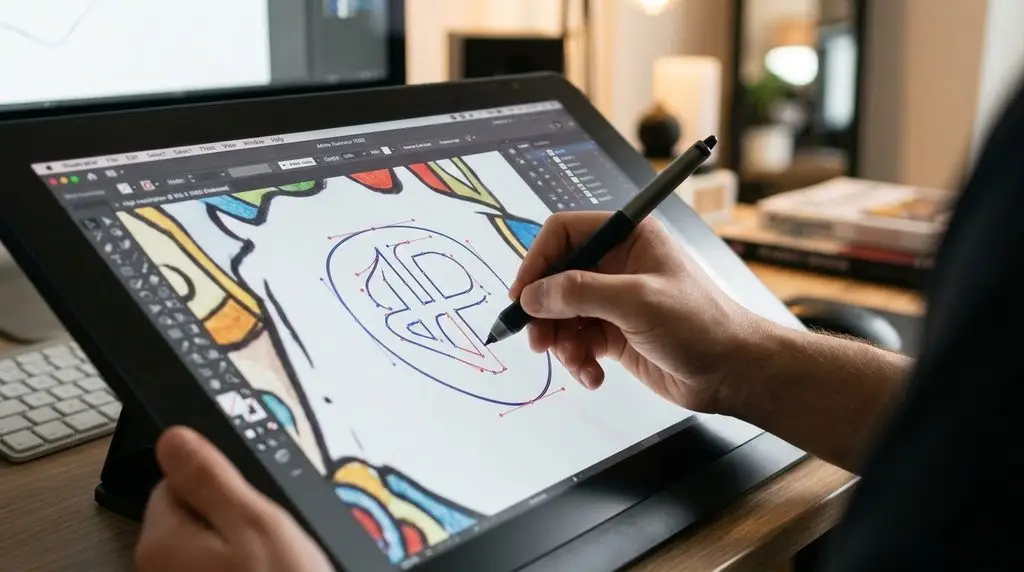
Using the programs Adobe Illustrator or CorelDRAW, the artwork is traced or redrawn with vector paths, anchor points, and Bézier curves. Manual redrawing ensures better accuracy of lines than one-click auto-tracing.
Recreate colours, text, and important details
Match the original colours, sometimes even the same Pantone or CMYK values for printing. Rebuild the text with the same or the closest font. Other minor details like outlines, shadows, and textures need to be recreated from scratch as clean shapes.
Clean and Refine the Paths
Remove unnecessary anchor points, close open paths, remove overlaps, and smooth out uneven curves. Clean paths keep the file light and make it ready for cutting, engraving, and embroidery machines.
Check the artwork at different sizes
Check the project zoomed in as well as zoomed out to see how it looks in different sizes. After that, export the design in the required formats, such as AI, EPS, SVG, PDF, etc.
Which Images Can Be Converted to Vector?
Nearly all images are capable of being vectorised. The following are some of the most frequently seen types of images:
- JPG and PNG images: The most widespread types of raster formats. JPG can be transformed into vector format; PNG, GIF, BMP, and scanned images can be converted as well.
- Logos: Blurry and unclear logos that can be transformed into perfectly legible files for printed purposes.
- Photographs: Actual photographs that can be turned into two-dimensional illustrations, either coloured or black-and-white.
- Sketches: Hand-drawn graphics that might be digitised.
- Line art: Drawings prepared for silk screening.
- Illustrations: Cartoon characters, mascots, parodies, etc.
- Portraits: Real portraits created from photographs.
- Badges and heraldry: Badges of police and fire brigades, municipal seals, military emblems, and family coats of arms.
- Maps: County, city, and custom maps created in vector format.
- Architectural plans: Buildings, churches, elevations, and skyline views.
- Automotive artwork: Cars, city vehicles, motorcycles, and fire trucks.
- T-shirt prints: Designs intended to be printed on shirts for the purpose of demonstrations.
- Product art: Designs for products, tools, devices, and electronics.
Automatic vs Manual Image to Vector Conversion
| Factor | Automatic tracing | Manual vectorisation |
| How it works | Software detects edges and colours with one click | An artist redraws the artwork path by path |
| Speed | Seconds | A few hours, depending on complexity |
| Accuracy | Rough edges, extra points, colour errors | Clean, precise paths and accurate colours |
| Blurry images | Traces the blur so results stay messy. | The artist rebuilds the missing detail |
| Text | Often distorted | Rebuilt with correct fonts |
| File quality | Heavy files with thousands of anchor points | Light, editable files |
| Best for | Simple shapes, quick previews | Logos, print, embroidery, engraving, signage |
Automatic tracing can work for a quick preview, but for anything going to production, manual image to vector conversion gives far better and more reliable results.
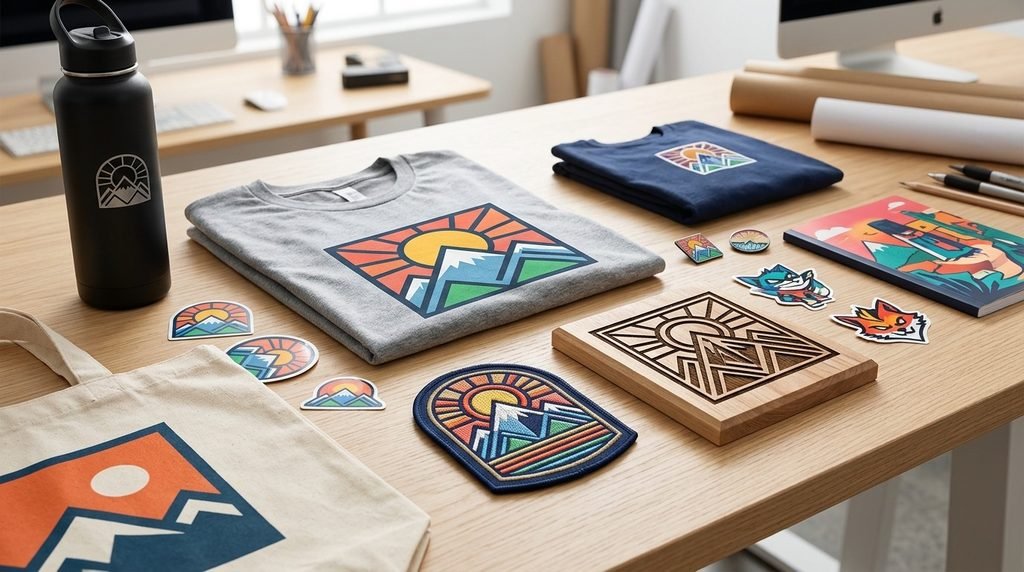
Image to Vector Conversion for Different Artwork
Different artwork needs a different vector style. The right output depends on how the design will be used.
| Artwork type | Recommended vector style | Common use |
| Logos | Flat colour or exact colour match | Branding, print, signage |
| Photos | Full colour, flat colour or line art | Posters, illustrations, gifts |
| Sketches | Line art or multi-colour | Digital art, prints, books |
| Badges and emblems | Detailed or simplified versions | Patches, uniforms, vehicles |
| T-shirt designs | Limited colours, spot colours | Screen printing, apparel |
| Architectural drawings | Line art | Plaques, engraving, brochures |
| Embroidery artwork | Simplified shapes, clean edges | Embroidery digitising |
| Tattoo artwork | Line art or full colour | Stencils, merchandise |
| Product and machinery | Technical line art | Manuals, catalogues, training |
What File Formats Can You Get After Vector Conversion?
A professional vectorisation service delivers your artwork in all the major vector formats:
| Format | Full name | Best for |
| AI | Adobe Illustrator | Editing and design work in Illustrator |
| EPS | Encapsulated PostScript | Printers, sign makers and older design software |
SVG | Scalable Vector Graphics | Websites, apps, and cutting machines such as Cricut |
Portable Document Format | Easy sharing and print-ready proofs | |
CDR | CorelDRAW | Editing in CorelDRAW, common with engravers and sign shops |
Where Can You Use Vectorised Images?
Vector files work anywhere a design needs to look sharp at any size:
- Screen printing and apparel: T-shirts, polos, uniforms and team wear
- Promotional products: Mugs, pens, koozies, frisbees and giveaways
- Signage: Banners, large-format prints, cut signs, carved and sandblasted signs
- Embroidery: Clean artwork ready for embroidery digitising, patches and badges
- Engraving and etching: Laser engraving, glass etching, metal stamping and plaques
- CNC and cutting: Vinyl cutting, CNC routing and laser cutting
- Vehicle wraps: Car, truck and fleet graphics
- Stickers and labels: Decals, product labels and packaging
- Digital use: Websites, apps, social media and presentations
Professional Image to Vector Conversion Services in the USA
A good professional vectorisation service gives businesses whose artwork is ready for production the time and confidence to avoid expensive printing mistakes. From printers and promotional product manufacturers to embroiders and signmakers to the marketing departments all over the USA, companies are relying on vectorisation specialists to convert their clients’ images into machine-readable files.
A reliable professional service should provide the following services:
- 100% manual redraw, no auto-tracing used
- Quick turnaround, preferably same day
- All popular file formats provided free of charge
- Free amendments until the client is satisfied with the result
- Transparent pricing, no hidden charges
- Experience with logos, badges, illustrations, and photographs.
Why Choose Vector.Center for Image to Vector Conversion?
Vector.Center has offered vector conversion services to clients across the United States since 2010. Here are the things that distinguish it:
- 100% drawn by hand: All files are created by hand by professional artists and not by machine tracing.
- Fast turnaround: Get your vector files within 2–24 hours depending on the service chosen.
- Free edits: Necessary alterations are made free until the client is satisfied.
- All formats included: All the files are available in AI, EPS, SVG, PDF, and CDR.
- No rush fees and no hidden charges: You know the price beforehand with no additional costs.
- Wide expertise: logos, badges, maps, architecture, cars, tattoos, t-shirt designs, and one-colour printing.
- 100% satisfaction guarantee: Trusted by promotional product companies, printers, startups and individual entrepreneurs.
FAQs
How do I convert an image to vector?
To convert an image into a vector graphic, import the file into design software like Adobe Illustrator, trace its shapes and colours into vector paths, clean up the nodes, and save the result as an AI, EPS, SVG, or PDF file. If you want the best results, you must use a manual vectorisation service.
Can a JPG be converted to a vector?
Yes. The JPG files can be transformed into vector format, that too by recreating them. Even blurry and lazy low-quality images can be transformed to high-quality vector formats quickly.
Can a PNG be converted to a vector?
Yes. It is indeed possible to convert the PNG files into SVG, AI EPS, and PDF files.
What is the difference between raster and vector?
Raster images consist of pixels and are hence incapable of maintaining quality while zoomed in or enlarged. Vector images, on the other hand, are stored as mathematical equations and hence remain high in quality with perfect clarity irrespective of scaling.
Is manual vectorisation better than automatic tracing?
Yes, when it comes to most applications. Automatic tracing is quick but often leaves sharp edges, distorted type, and messy files. Manual vectorisation provides smooth lines, true colours, and print-ready quality images.
What is the best vector format?
It depends on the use. AI works best for editing, EPS for printing, SVG for web and cutting machines, and PDF is best for sharing and printing out proofs. Most professional services offer all the formats.
How much does image-to-vector conversion cost?
Pricing depends on the intricacy of the image, the colours, and the level of detailing. Simple logos are cheaper than the highly detailed portrait or the map. Vector.Center provides free quotes together with transparent pricing with no rush fees.
Can a blurry image be converted to vector?
Yes. A good artist can recreate the blurry or low-resolution image and bring back what is missing. This is where manual conversion clearly beats automatic tracing, which only traces the blur.
Conclusion
Converting an image to vector transforms an unclear and pixel-based document into a bright, high-resolution piece of art, suitable for any use from business cards and shirts to outdoor advertising, embroidery, and engraved plaques. Automatic tools could help with simple shapes; however, logos, badges, portraits, and more complex designs require a detailed and thoughtful manual reproduction.
Looking for a fast and efficient solution to obtain clean and print-ready vector artwork? Vector.Center offers fast and hand-drawn vectorisation with free revisions and delivery in the same day. Provide an image and get a free quote!